
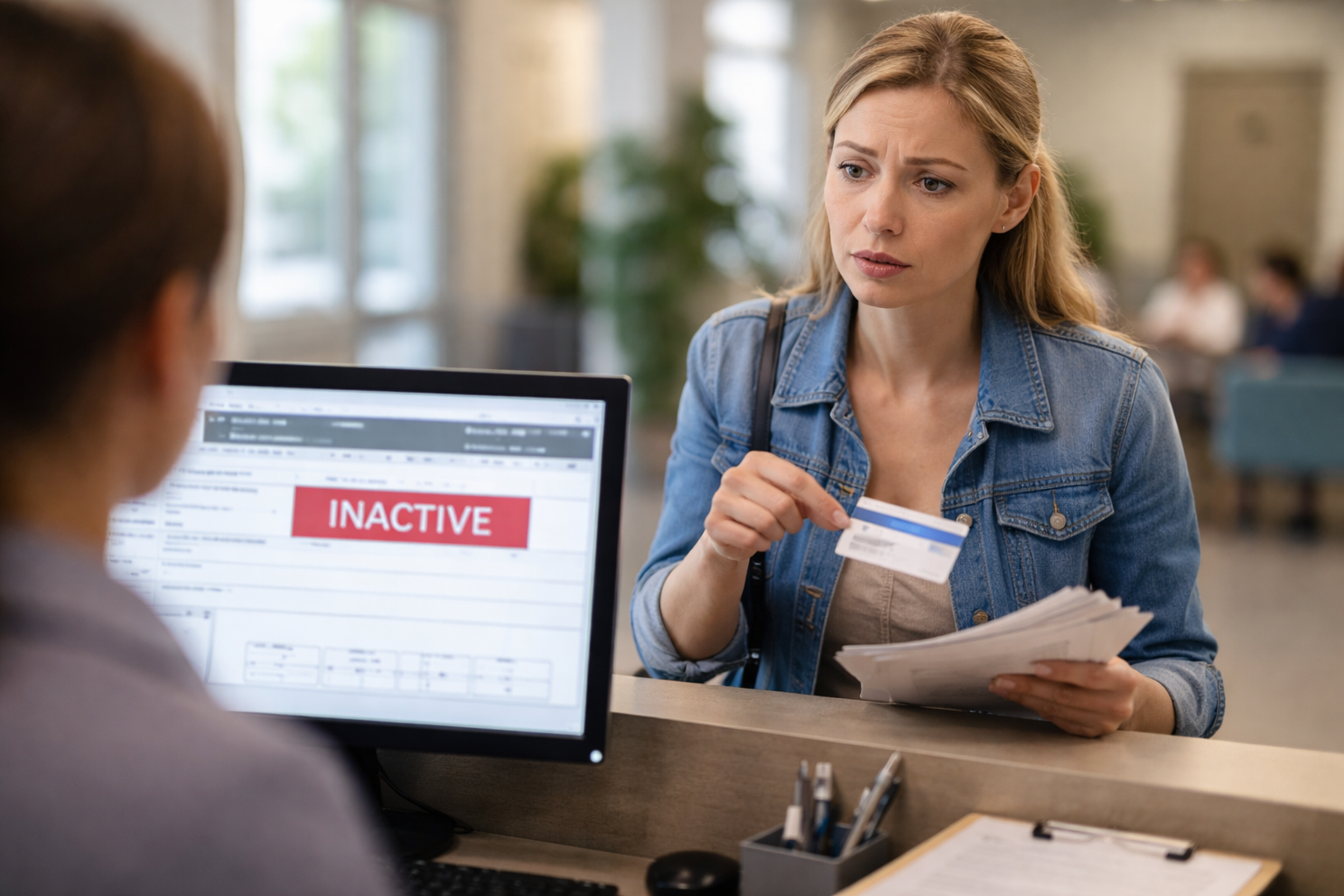
COBRA coverage not started — I didn’t find out from a letter. I found out in the most humiliating way: a front desk employee turned the screen toward me and said, “It’s coming back inactive.” I had already elected continuation coverage. I had already paid. I had the email confirmation saved, because I knew I’d need it.
In the parking lot, I searched COBRA coverage not started like it was a diagnosis. The problem wasn’t theoretical. I was actively trying to get care, and the system said I had nothing. This is the moment where most people either overpay, cancel care they need, or wait too long and end up with bills that are harder to unwind.
If you’re dealing with COBRA coverage not started in the U.S., the goal is not to “learn about COBRA.” The goal is to get your coverage activated in the carrier system, protect claims retroactively, and build documentation that makes it easy to force correction if someone drags their feet.
If your employer ended your insurance earlier than you expected, read this hub first because it helps you pin down the real termination date and the paper trail that matters:
Why COBRA coverage not started Happens Even When You Did Everything Right
When COBRA coverage not started shows up in a portal, it usually means a human or system failed at a handoff. COBRA has multiple parties, and the handoffs are where the delay lives:
- Employer / Plan Sponsor sends termination and eligibility files.
- COBRA administrator processes election, posts payments, transmits enrollment to the carrier.
- Insurance carrier activates member ID, loads coverage effective date, and connects it to claims systems.
Most “inactive” messages are timing issues, file errors, or payment-matching errors. The good news: these are fixable. The bad news: they rarely fix themselves without the right pressure and the right proof.
Before You Call Anyone: Your 10-Minute Evidence Pack
If COBRA coverage not started is happening, build this evidence pack first. It makes every call faster and prevents “we never received that” dead ends:
- Termination date or coverage end date from your employer (email, letter, portal screenshot).
- Your COBRA election confirmation (screenshot or PDF).
- Payment proof (bank screenshot, check image, payment confirmation page).
- Administrator contact info and your account or participant ID.
- Carrier info (plan name, group number if available, prior member ID card).
Do not send originals. Send screenshots/PDFs only.
The 24-Hour Plan That Actually Gets COBRA Activated
Here’s the sequence that works when COBRA coverage not started is blocking care:
- Call the COBRA administrator first. The carrier often can’t see you until the admin transmits you.
- Ask for two dates: “What is my coverage effective date?” and “What date did you transmit my enrollment to the carrier?”
- Ask for the payment ledger. You need the posted date and the applied period.
- Request written confirmation while you’re on the phone. Email, not verbal.
- Then call the carrier with the admin’s confirmation in front of you.
If you call the carrier first, you often waste time because the carrier can only repeat: “We don’t see you.”
Short Scripts You Can Read Word-for-Word
When COBRA coverage not started is urgent, scripts prevent you from getting derailed.
Script to the administrator:
“Hi, I elected continuation coverage and paid. The carrier shows inactive. I need you to confirm my coverage effective date, confirm my payment posted date, and confirm the date you transmitted enrollment to the carrier. I also need this in writing by email today.”
Script to the carrier:
“Hi, my COBRA administrator confirms my effective date is ____ and that enrollment was transmitted on ____. Your system shows inactive. Please open a case to load coverage retroactively and confirm the expected activation time. I need the case number.”
Case Branch Box: Find Your Exact Situation Fast
Pick the closest match:
1) You elected and paid, but portal shows inactive
Most likely: transmission delay, payment mismatch, or wrong ID. Ask for admin’s transmission log + carrier case.
2) You elected, but haven’t paid first premium yet
Most likely: coverage won’t show active until payment posts. Ask admin what “posted” means in their system and when it triggers carrier activation.
3) You paid, but payment isn’t “posted”
Most likely: payment is in processing or applied to the wrong participant. Demand a ledger screenshot or written ledger statement.
4) Employer says coverage ended one date, admin shows a different date
Most likely: eligibility file error. You need HR to correct the termination/eligibility file.
5) You never received the paperwork or election materials
Most likely: address/email mismatch or delay. Fix delivery first, then escalate.
If your paperwork is missing, read this situation-specific guide:
6) You need care now (ER, urgent meds, surgery scheduling)
Most likely: you need a billing hold + claim resubmission plan while activation catches up.
If You Need Care Today: How to Avoid Panic Decisions
When COBRA coverage not started hits during an urgent situation, you’re tempted to cancel care. A better approach is to protect the billing process while you force activation.
- Ask the provider billing office for a temporary billing hold (often 14–30 days).
- Ask the provider to mark the visit as pending insurance verification.
- Keep receipts if you pay out of pocket. Out-of-pocket payments can often be refunded or reimbursed after claims reprocess.
If the provider says “we must bill you as self-pay,” ask for the cash rate and confirm they will re-bill insurance once active. Many providers will do this if you have a case number and proof of election/payment.
If You Paid by Mail: The Most Common Hidden Failure
Mail is where COBRA coverage not started delays grow teeth. If you mailed a check or money order:
- Confirm whether it was deposited and on what date.
- Ask how long after deposit it takes to “post” to your account.
- Ask whether “deposit” and “post” are different steps.
Some administrators deposit payments first and reconcile posting later. That reconciliation lag is a frequent reason portals show inactive even when your bank shows the money left.
If You Paid Online: Payment Matching Errors to Look For
Online payments reduce delays, but COBRA coverage not started still happens when a payment doesn’t match your participant record.
- Wrong account / participant ID selected at checkout.
- Name mismatch (middle initial, hyphenated last name, suffix).
- Payment applied to the wrong month/coverage period.
Ask for the administrator’s ledger line that shows the payment and the coverage period it was applied to. This single line often solves hours of back-and-forth.
When the Employer Is the Bottleneck
Sometimes COBRA coverage not started is not the administrator’s fault. Employers can delay or submit incorrect files. Signs the employer is the bottleneck:
- Admin says: “We’re waiting on eligibility.”
- Carrier says: “We need the eligibility file from the plan sponsor.”
- Termination date in one system doesn’t match another.
What to do:
- Email HR: “Please confirm the coverage termination date and confirm when the eligibility file was sent to the administrator/carrier.”
- Ask HR to correct any incorrect termination date immediately.
- Request written confirmation (email) that the corrected file was submitted.
Do not accept “it’s being handled” without a date, a file submission confirmation, or a ticket number.
Escalation Ladder That Doesn’t Burn Bridges
If COBRA coverage not started remains unresolved after you have proof of election + payment, escalate calmly and in writing. Use a ladder so you don’t get ignored:
- Administrator frontline rep (get a case number).
- Administrator supervisor / escalation team (ask explicitly).
- Former employer HR benefits lead (not just general HR inbox).
- Carrier escalation (ask for “eligibility/benefits research” team).
Escalation works best when you attach a clean evidence pack and keep the email short.
What Not to Do: Costly Mistakes That Create Permanent Mess
- Do not pay twice unless you have written confirmation the first payment was rejected or never received.
- Do not miss your election/payment deadlines while waiting for someone to call you back.
- Do not let bills roll into collections while you “wait for activation.” Ask for billing holds early.
- Do not assume the portal status is final. Portals lag behind eligibility files.
When COBRA coverage not started is unresolved, the most damaging thing is silence. Silence makes others treat it like a low-priority queue item.
How to Know If Your Claims Will Be Covered Retroactively
People worry that COBRA coverage not started means they’ll be stuck with uncovered claims. In most on-time election/payment situations, claims can be resubmitted once eligibility is loaded.
- Ask the administrator to confirm the effective date in writing.
- Ask the carrier to confirm the same effective date in their case notes.
- Keep provider receipts and EOBs.
The effective date is the anchor for retroactive claim reprocessing.
Self-Apply Checklist: Put Your Timeline Here
Use this checklist to make your COBRA coverage not started situation instantly clear:
- My employer coverage ended on: ________
- I received the election notice on: ________
- I elected COBRA on: ________
- I paid the first premium on: ________
- The payment posted (confirmed by admin) on: ________
- The admin transmitted enrollment to carrier on: ________
- The carrier case number is: ________
If you can’t fill in one line, that’s your next call.
Official Reference Button
For official federal guidance about continuation coverage rights and the general process, use this Department of Labor overview:
FAQ
Why does my portal still say inactive if I paid?
Because the payment may be deposited but not posted, the enrollment may not be transmitted yet, or the carrier hasn’t loaded eligibility into claims systems.
How long does activation usually take?
Many cases resolve within 3–10 business days after payment posting, but urgent situations should be escalated with written confirmation and a carrier case number.
Can I get prescriptions filled while it’s inactive?
Sometimes you can pay cash and reprocess later once eligibility is loaded. Ask the pharmacy about refund/rebill policies and keep receipts.
Do I need to contact my former employer?
If termination dates or eligibility files look wrong, yes. Employers can be the bottleneck when files are delayed or incorrect.
Key Takeaways
- COBRA coverage not started is usually an administrative handoff issue between employer, administrator, and carrier.
- Get the effective date in writing and anchor every conversation to it.
- Ask for the payment ledger and the enrollment transmission date.
- Protect yourself with billing holds and receipts while the system catches up.
- Escalate in writing with a clean evidence pack and case numbers.
COBRA coverage not started felt like someone pulled the floor out from under me. I didn’t want to argue with a receptionist or negotiate at the pharmacy counter. I just needed the system to reflect what I’d already done. Once I stopped chasing “reassurance” and started chasing written dates, everything moved faster.
If your COBRA coverage not started issue is active today, do this now: call the administrator, demand the effective date + posted payment date + transmission date, and get it in writing. Then open a carrier case using those exact details. Administrative delays can be corrected — but only when you push with proof, not hope.